Logging in
To login to your Drupal 7 site, click the Login link in the footer, or add "/login" to the end of your URL.
So if your site is http://bae.ksu.edu, your login link is http://bae.ksu.edu/login.
Determining if your site is on Drupal 7
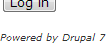
If your site has been migrated to Drupal 7, this notice will appear at the bottom of the login page:
Menu settings, revisions, URL path settings and publishing options
These sections have moved to the bottom of the edit form. Refer to screenshot below.

Sidebar items
Sidebar items must now be created via Drupal's "Block" mechanism, which is different than how we did sidebar items in prior versions of Drupal. See our dedicated Sidebar Blocks page for more information.
| Creating and editing | Up | Highlights |